
You can temporarily suspend a specific user. This action is reversible from the Vindicia IDP 2.0 console. . To temporarily suspend a user, do the following:
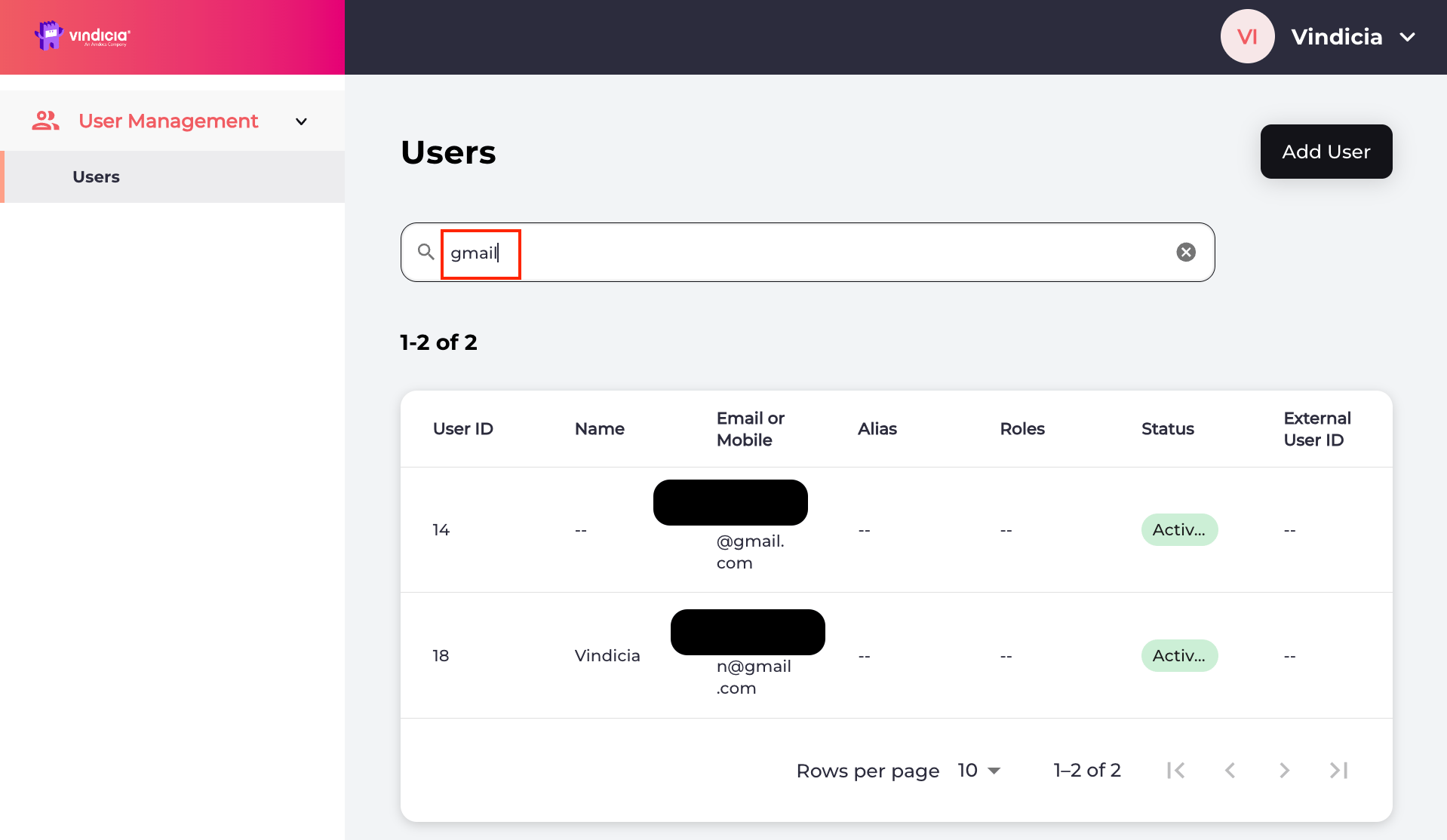
Sign in to Vindicia IDP Console 2.0 by clicking Manage Users Link in the Vindicia Portal under your account avatar. The User Management screen appears. Vindicia IDP 2.0 Console User Management Page listing users
Search for the relevant user or select the user from the list. The selected user’s Identity page opens.
    1. To temporarily suspend the user, select Actions > Suspend User from the top-right corner.
  1. Click Suspend to temporarily suspend the user, or click Cancel to go back. Note: The user is logged out of all current sessions. User authentication is prevented until the suspension is removed.
The selected user is now suspended and can no longer authenticate or access related services. The system retains all user records and they are viewable from the Activity tab in the Vindicia IDP console. Parent topic:Vindicia IDP 2.0 Console User Management Capabilities

Remove a Suspension in Vindicia IDP 2.0 Console

As a Care agent, you can remove a suspension from a user to restore their access. Once you search for and select a user, select the Actions > Remove suspension. This option is only visible if the selected user is in Suspended status.
Sign in to Vindicia IDP Console 2.0 by clicking Manage Users Link in the Vindicia Portal under your account avatar. The User Management screen appears. Vindicia IDP 2.0 Console User Management Page listing users
Search for the relevant user or select the user from the list. The selected user’s Identity page opens.
  1. Navigate to Actions > Remove suspension located in the top-right corner.
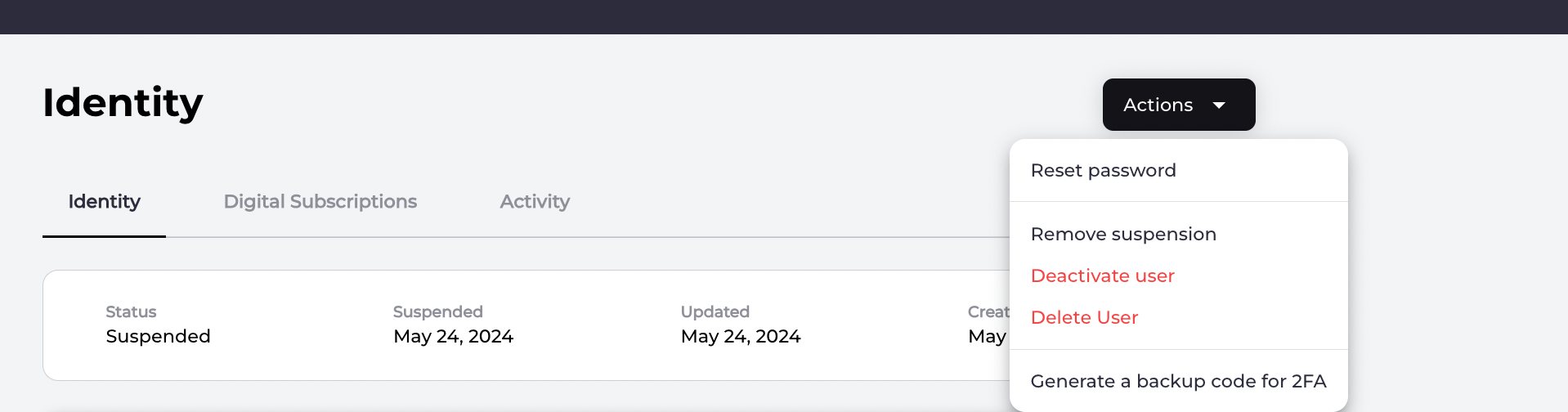
  2. Select Remove suspension and allow the user to authenticate, and access resources/services again.
The selected user’s suspension is removed and the user status updates to Activated in the Care console. The user can authenticate and access resource/services (that is, they can sign in to your applications that use Connect). Parent topic:Suspend User in Vindicia IDP 2.0 Console