
- Search for the relevant Retain Transaction.
- In the search results list, click the relevant Transaction ID. The Submitted Transaction Details Page appears.
- View and understand the Submitted Transaction Details data. Refer to the tables below for guidance regarding the fields.
- To refund a captured Transaction and return funds to the customer, continue to Refund Transactions in Retain.
- To stop attempting to capture a Transaction continue to Stop Transaction Capture in Retain.
-
To view detailed information for a specific retry attempt, click the ID field in the Retry attempts pane.
The Retry Details page appears.
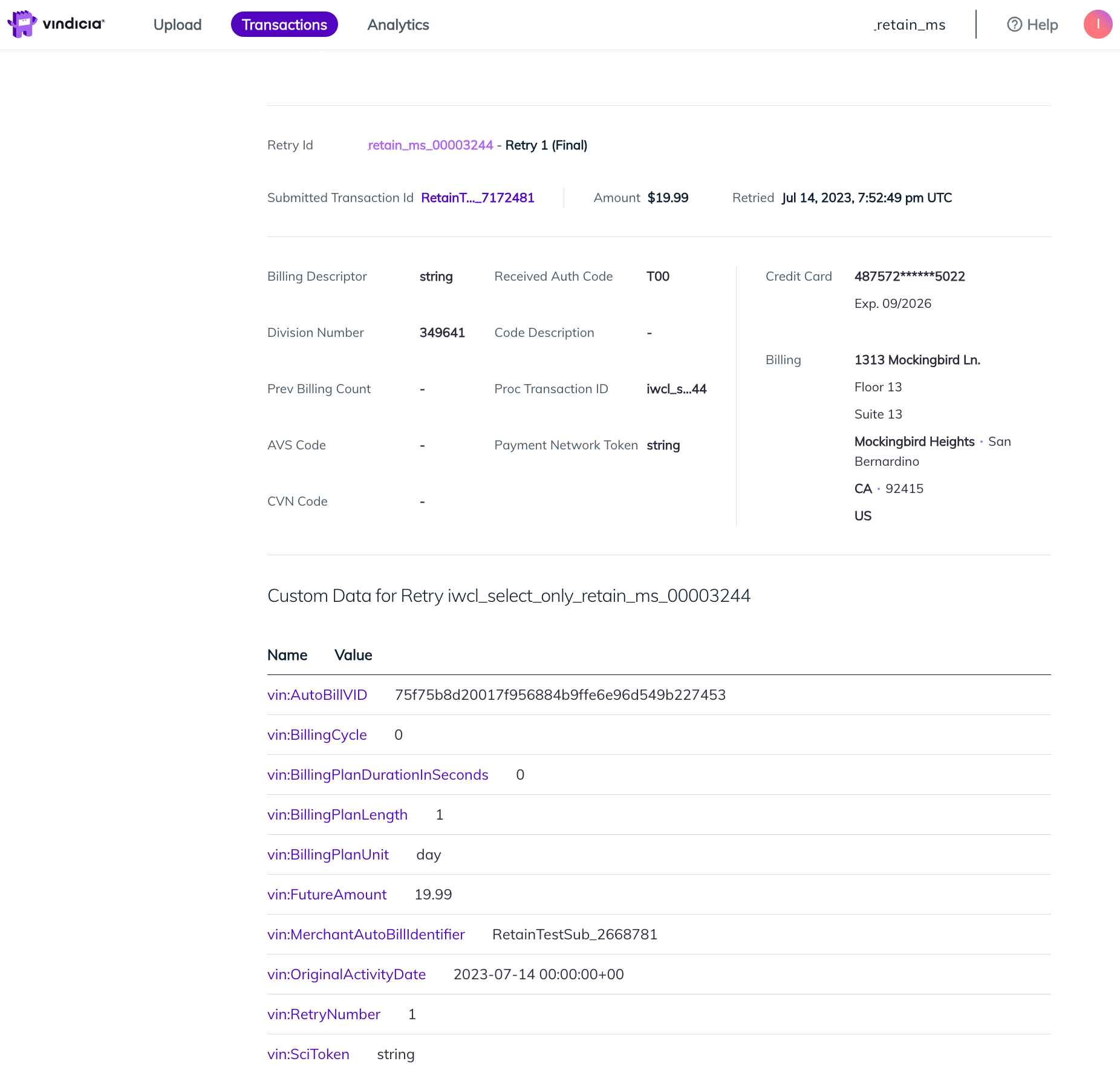
- View and understand the Retry Details data. Refer to the tables below for guidance regarding the fields.
- Submitted Transaction Details
-
Retry Details
The Retry Details page contains detailed information for the retry attempt you selected in the Submitted Transaction Details page. Most of these fields represent data originally submitted for the Transaction by you the Merchant and are identical to the Submitted Transaction Details page.
Submitted Transaction Details
When Vindicia Retain attempts to capture the submitted Transaction, it generates retry attempts Transactions that are linked to the original submitted one.Retry Attempts For Transaction (Transaction ID)
This section contains summarized information for each of the retry attempts that Retain has generated for the submitted Transaction.Retry Details
The Retry Details page contains detailed information for the retry attempt you selected in the Submitted Transaction Details page. Most of these fields represent data originally submitted for the Transaction by you the Merchant and are identical to the Submitted Transaction Details page. The following fields are included in the Retry Details page:
Related information
Search Retain Transactions
Refund Transactions in Retain
Stop Transaction Capture in Retain