
- Sign in to the Care console. By default, the Find a User screen appears.
-
Find and select a specific user. The selected user’s profile or Identity page displays.
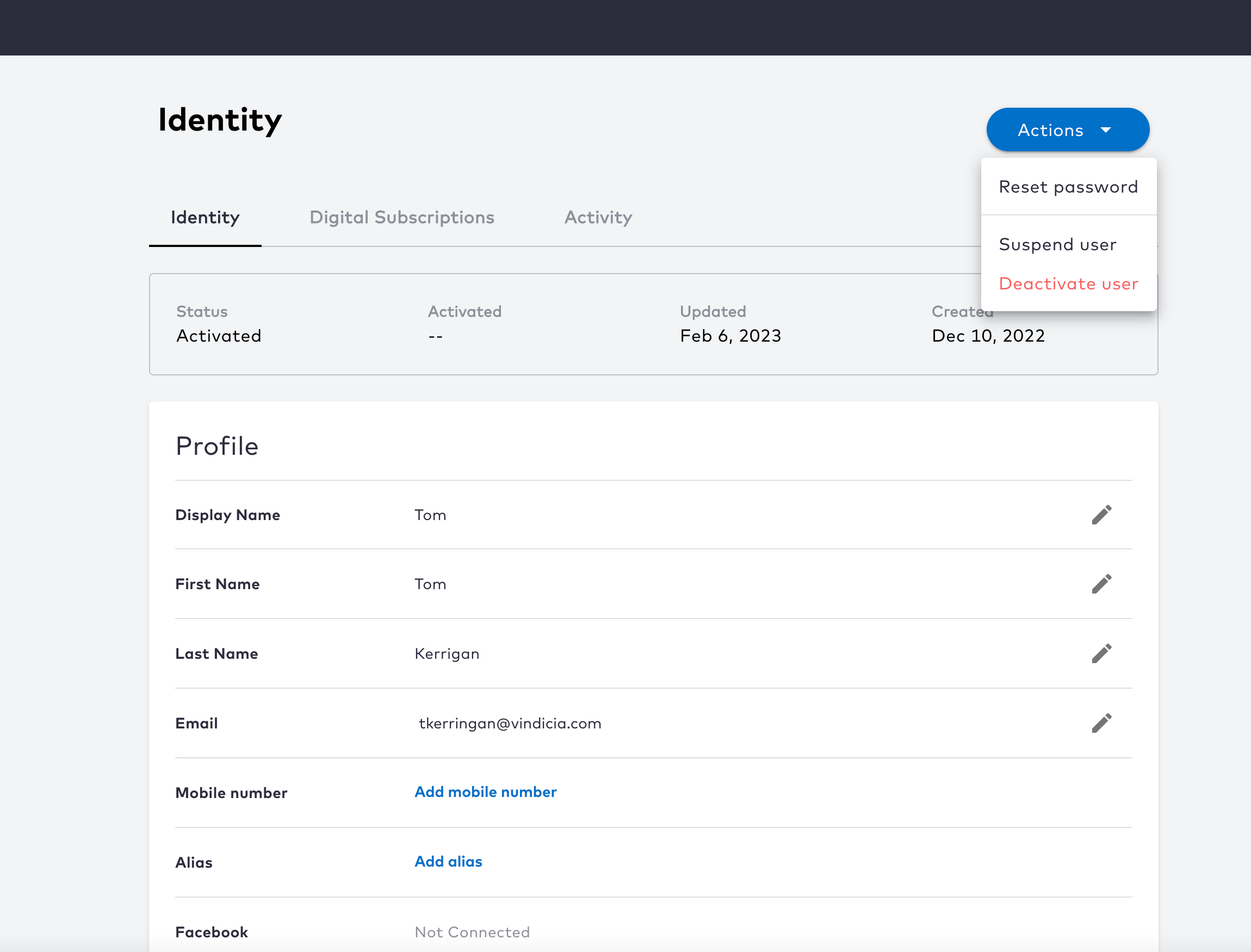
- To temporarily suspend the user, select Actions > Suspend User from the top-right corner.
- Click Suspend to temporarily suspend the user, or click Cancel to go back. Note: The user is logged out of all current sessions. User authentication is prevented until the suspension is removed.
Remove a Suspension
As a Care agent, you can remove a suspension from a user to restore their access. Once you search for and select a user, select the Actions > Remove suspension. This option is only visible if the selected user is in Suspended status.- Sign in to the Care console. By default, the Find a User screen appears.
- Find and select a specific user to open selected user’s profile or Identity page.
-
Navigate to Actions > Remove suspension located in the top-right corner.
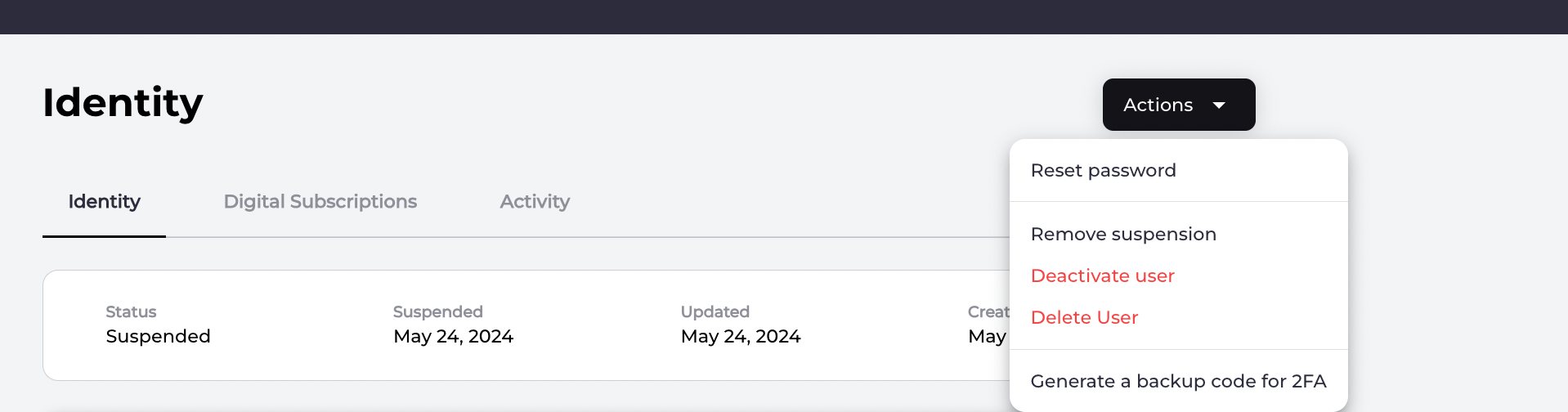
- Select Remove suspension and allow the user to authenticate, and access resources/services again.