> ## Documentation Index
> Fetch the complete documentation index at: https://docs.vindicia.com/llms.txt
> Use this file to discover all available pages before exploring further.
# Reset a Password
As a Care agent, you initiate a password recovery and reset process on behalf of a user.
1. Sign in to the Care console. By default, the **Find a User** screen appears.
2. [Find and select](findUser) a specific user. The selected user's profile or **Identity** page displays.
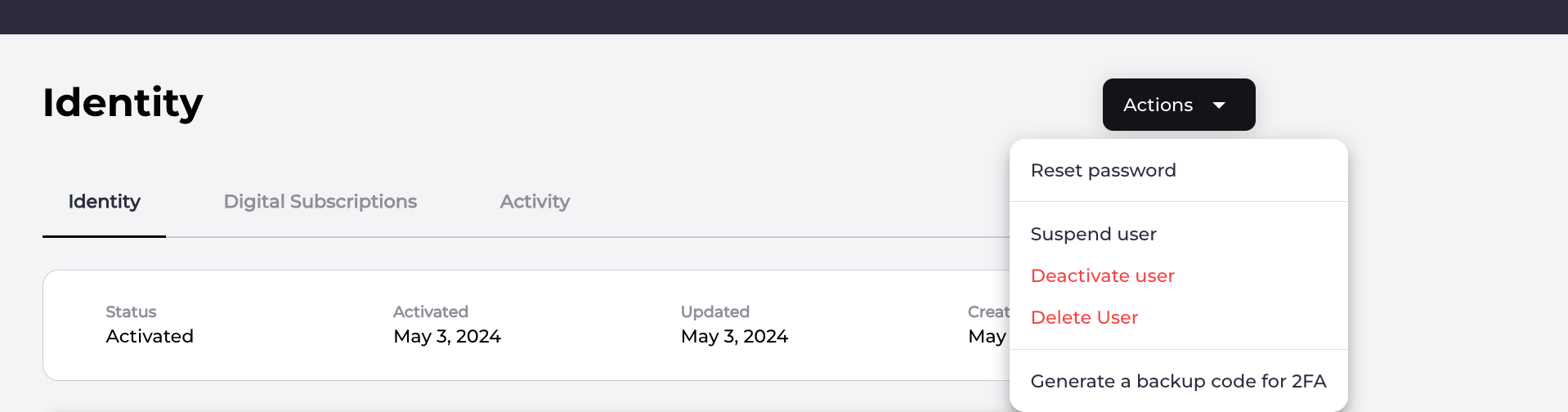
3. To reset the password, do either of the following:
* On the selected user's **Identity** page, navigate to **Security** > **Password** details and click **Reset password**.
 * On the selected user's **Identity** page, navigate to **Security** > **Password** details and click **Reset password**.
 4. Select one of the confirmation prompts:
* **Send Link** sends a notification message to the user on their specified channel (email or mobile number) with a link to reset their password.
* **Cancel** to return to the user's **Identity** page.
The system sends a password reset notification message to the user's specified channel. The current password doesn't change until the user opens the notification message and follows the link in that message. The user is redirected to your organization's application, and the application then prompts the end user for their new password.
**Note:** The redirect back to your organization's client application is set in the **Admin console**. Your organization needs to configure this redirect URL in the Admin console and build the appropriate application page for the password reset.
**Parent topic:**[Vindicia IDP 1.0 Console User Management Capabilities](../topics/userManagement1Capabilites)
This documentation is built and hosted on [Mintlify](https://mintlify.com), a developer documentation platform.
4. Select one of the confirmation prompts:
* **Send Link** sends a notification message to the user on their specified channel (email or mobile number) with a link to reset their password.
* **Cancel** to return to the user's **Identity** page.
The system sends a password reset notification message to the user's specified channel. The current password doesn't change until the user opens the notification message and follows the link in that message. The user is redirected to your organization's application, and the application then prompts the end user for their new password.
**Note:** The redirect back to your organization's client application is set in the **Admin console**. Your organization needs to configure this redirect URL in the Admin console and build the appropriate application page for the password reset.
**Parent topic:**[Vindicia IDP 1.0 Console User Management Capabilities](../topics/userManagement1Capabilites)
This documentation is built and hosted on [Mintlify](https://mintlify.com), a developer documentation platform.