> ## Documentation Index
> Fetch the complete documentation index at: https://docs.vindicia.com/llms.txt
> Use this file to discover all available pages before exploring further.
# Add New User in Vindicia IDP 2.0 Console
As a Super user with care representative privileges, you can add new users in Vindicia IDP 2.0 Console
1. Sign in to Vindicia IDP Console 2.0 by clicking **Manage Users** link in the Vindicia Portal under your account avatar.
The User Management screen appears.
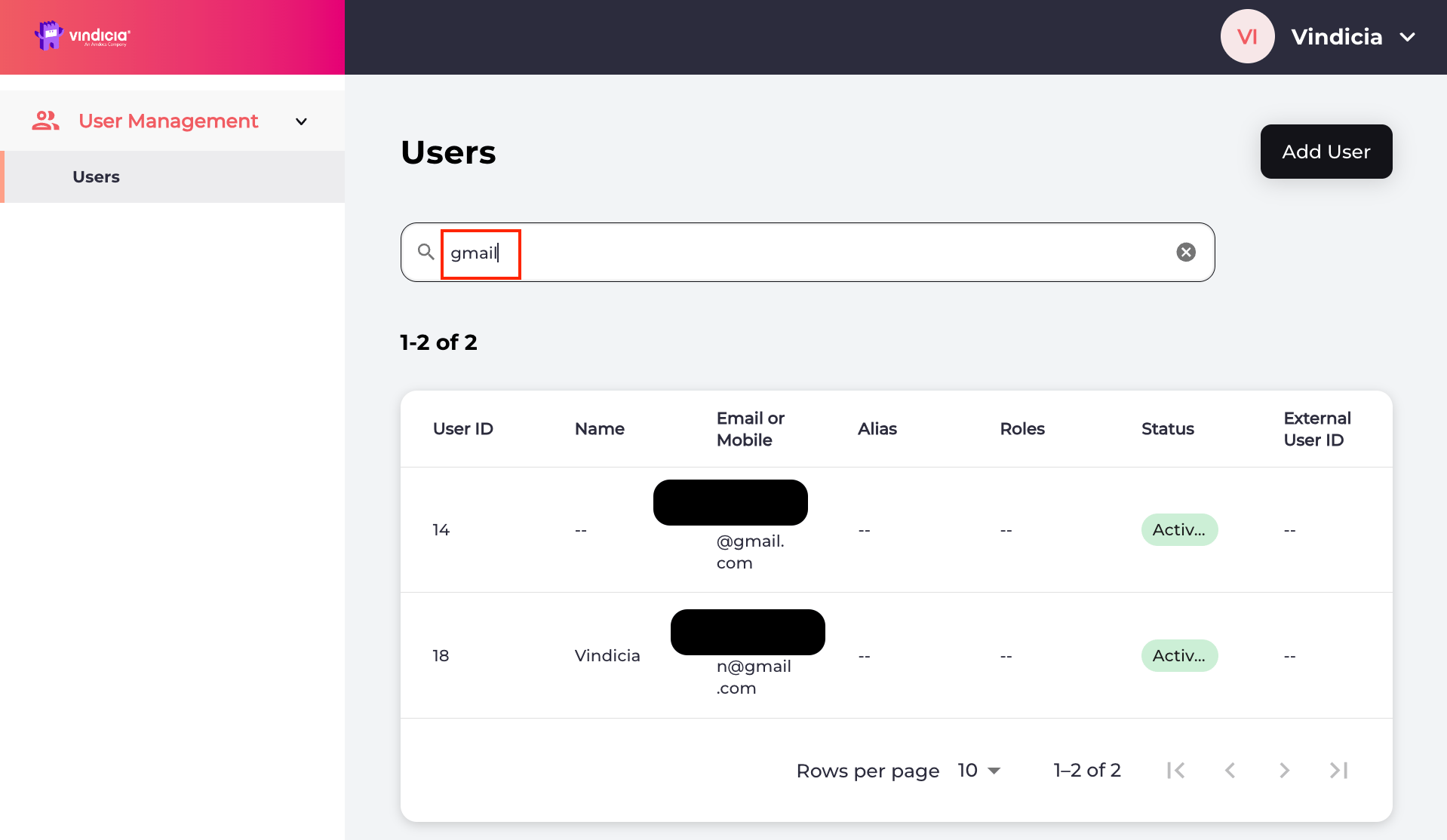 2. Click **New User**, from the top-right corner, and enter the required information.
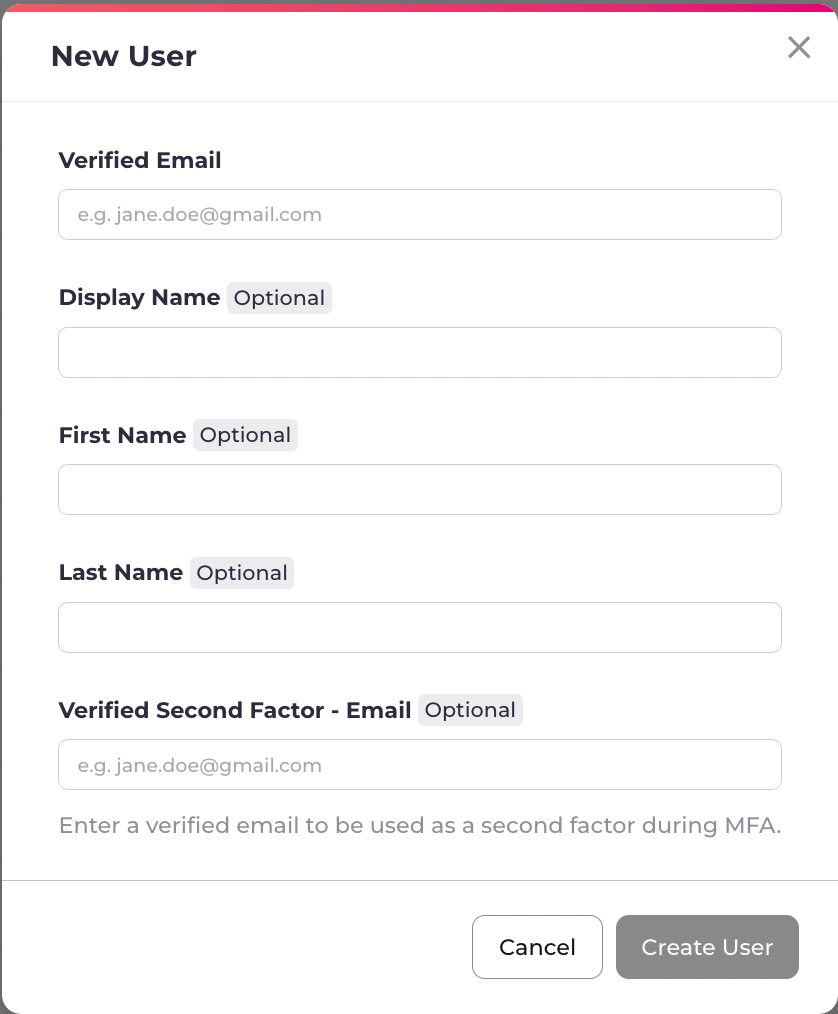 | Field | Description | Relevancy |
| - | - | - |
| **Verified Authentication Identifier** | An email address or mobile number the user has registered. Also includes email addresses or mobile numbers that are pending verification. | Required |
| **Display Name** | The name that displays on the end users profile when signed in. | Optional |
| **First Name** | The user's given name that is associated with the specified email/mobile number. | Optional |
| **Last Name** | The user's family name that is associated with the specified email/mobile number. | Optional |
| **Verified Second Factor - Email** | Set up a new user's email address as the verified second factor (2FA). | Optional |
3. Select **Create User** to complete the user creation.
An onboarding notification message is sent to the user on their verified email.
The newly created user **Identity** page displays.
The new user is created with at least one verified authentication identifier such as an email or mobile number. The Care Agent can access the newly created details page of the user to review r update it. The onboarding process initiates and sends a message to the user on their preferred contact channel, such as theiremail.
**Note:** To access Vindicia's Portals, new users must be assigned a role. Continue to [Assign User Roles](careChangeUserRole).
**Parent topic:**[Vindicia IDP 2.0 Console User Management Capabilities](../topics/userManagement2Capabilites)
**Related information**
[Assign User Roles](careChangeUserRole)
This documentation is built and hosted on [Mintlify](https://mintlify.com), a developer documentation platform.
| Field | Description | Relevancy |
| - | - | - |
| **Verified Authentication Identifier** | An email address or mobile number the user has registered. Also includes email addresses or mobile numbers that are pending verification. | Required |
| **Display Name** | The name that displays on the end users profile when signed in. | Optional |
| **First Name** | The user's given name that is associated with the specified email/mobile number. | Optional |
| **Last Name** | The user's family name that is associated with the specified email/mobile number. | Optional |
| **Verified Second Factor - Email** | Set up a new user's email address as the verified second factor (2FA). | Optional |
3. Select **Create User** to complete the user creation.
An onboarding notification message is sent to the user on their verified email.
The newly created user **Identity** page displays.
The new user is created with at least one verified authentication identifier such as an email or mobile number. The Care Agent can access the newly created details page of the user to review r update it. The onboarding process initiates and sends a message to the user on their preferred contact channel, such as theiremail.
**Note:** To access Vindicia's Portals, new users must be assigned a role. Continue to [Assign User Roles](careChangeUserRole).
**Parent topic:**[Vindicia IDP 2.0 Console User Management Capabilities](../topics/userManagement2Capabilites)
**Related information**
[Assign User Roles](careChangeUserRole)
This documentation is built and hosted on [Mintlify](https://mintlify.com), a developer documentation platform.